Use on-demand services with Transit
On-demand services or microtransit is a form of public transportation that is used as a convenient connection to frequent fixed-route services, or on it's own. New to microtransit? Don't worry! While a new mode of transportation can be overwhelming, Transit makes it simple. Just follow these steps and you'll be on your way to better mobility!
Here's what this article covers:
Using on-demand services
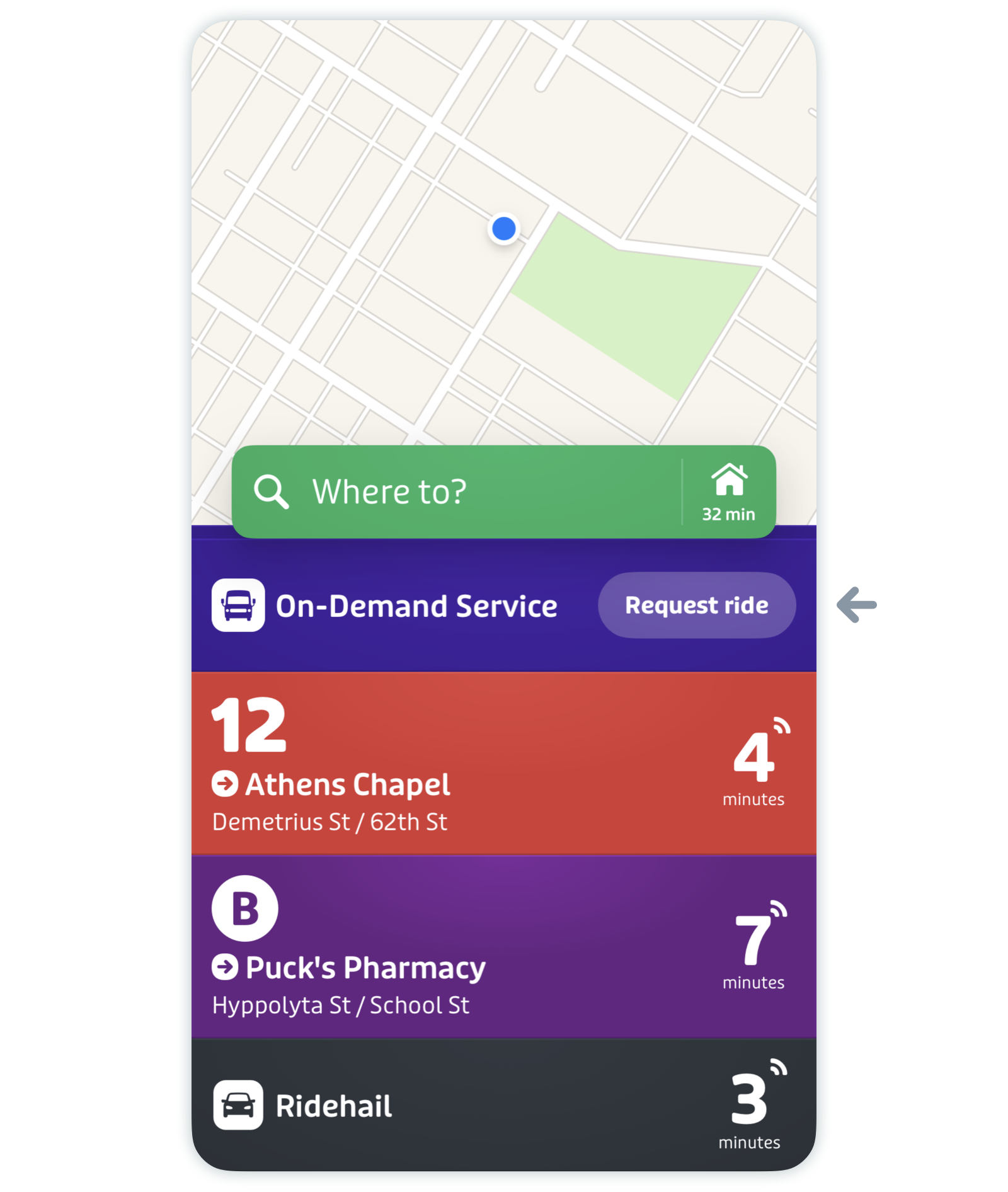
- From the main screen, look for on-demand service in the list. Note that the on-demand card is separate from the ridehail card.
-
Tap "Request ride".
-
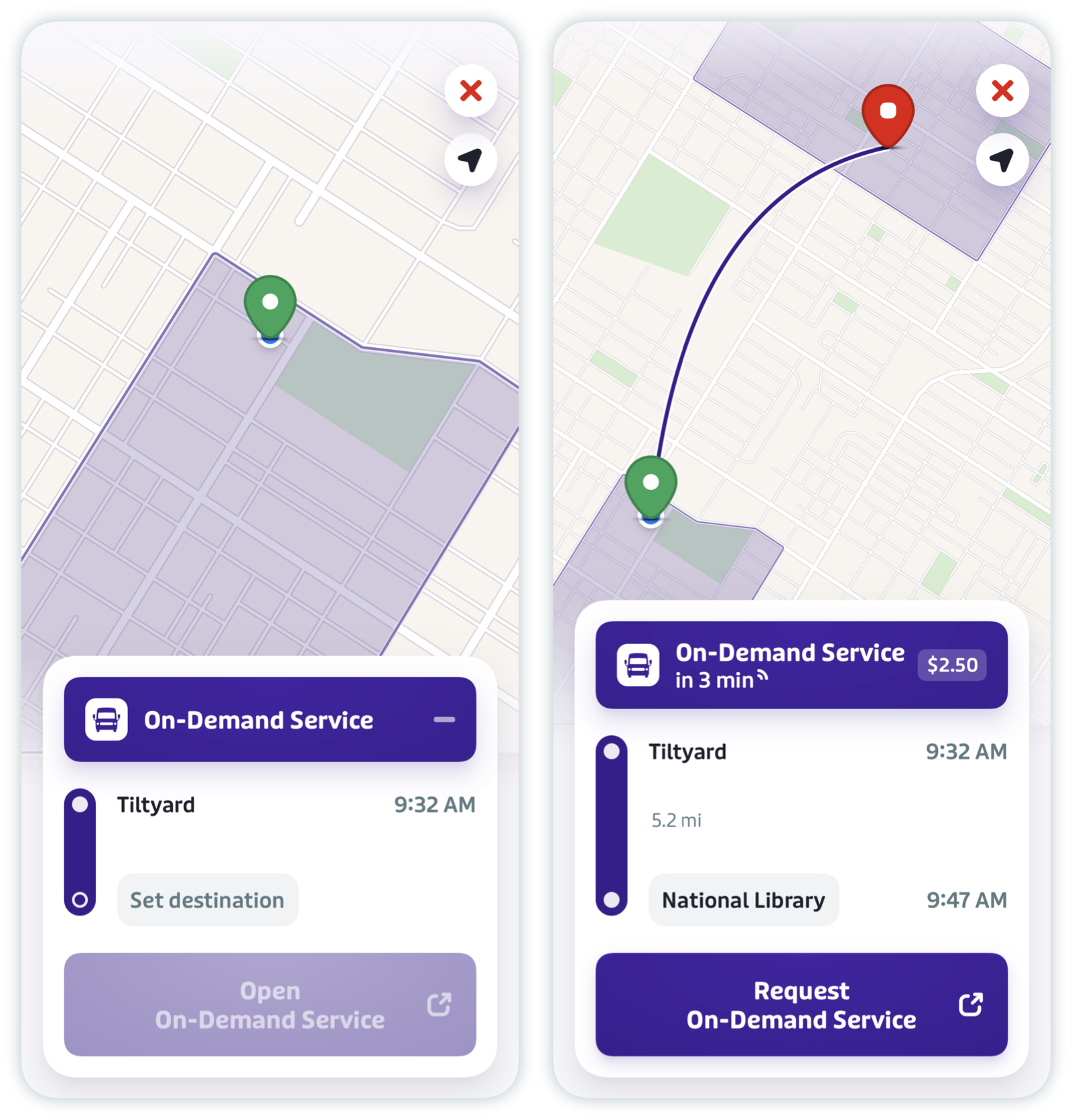
Fill in your destination and tap "Request [On-Demand Service]" to open your area’s on-demand services application and book your ride. If it’s not already downloaded, you’ll be redirected to the App Store or Google Play Store to download it.
How to plan a trip using on-demand services
Warning: Before planning your first trip, make sure you have your agency's on-demand app installed and ready to go!
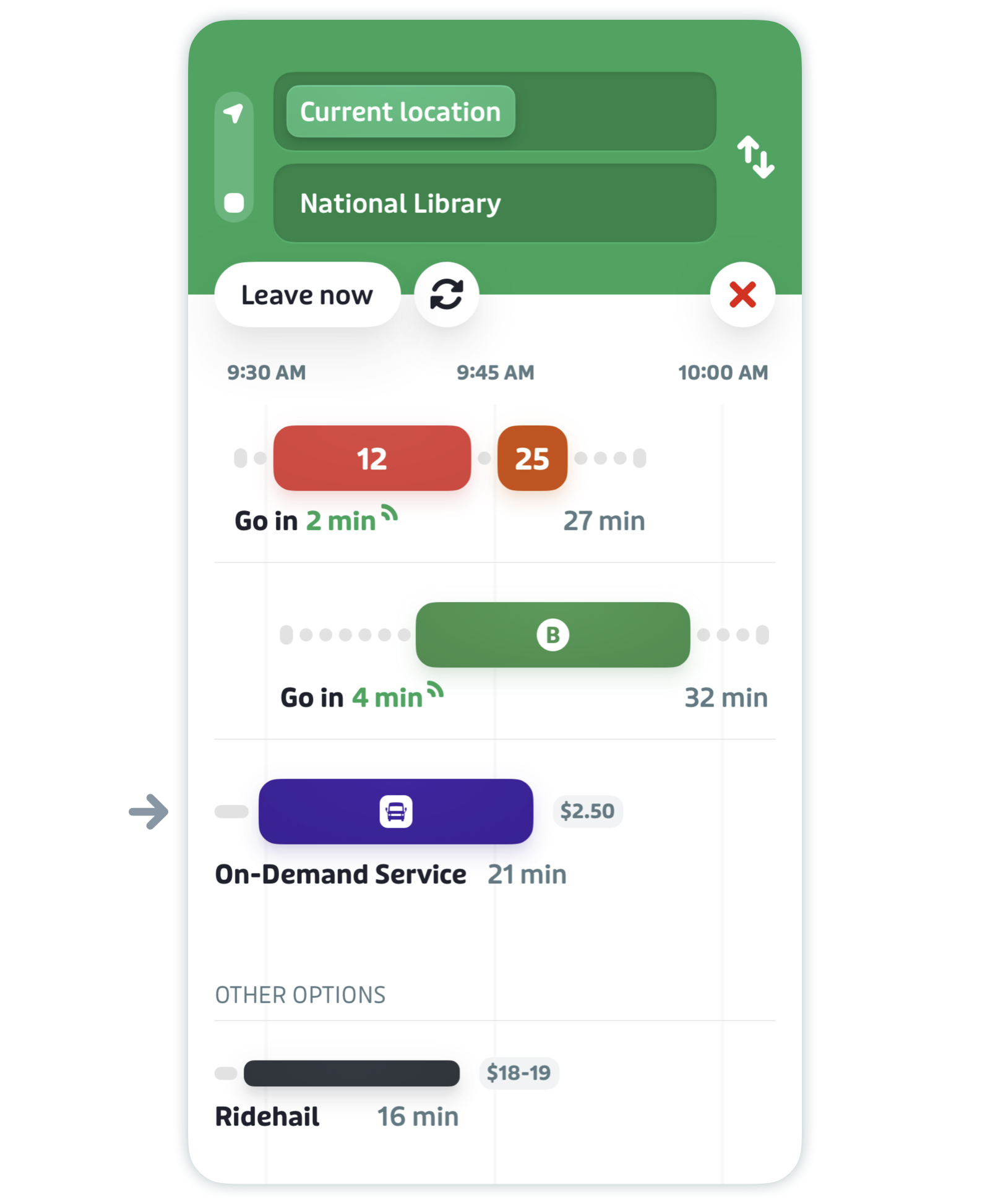
- Plan your trip as you usually would. If your trip is eligible for on-demand, you will see it in your trip results.
-
Tap on the trip result offering on-demand service.
-
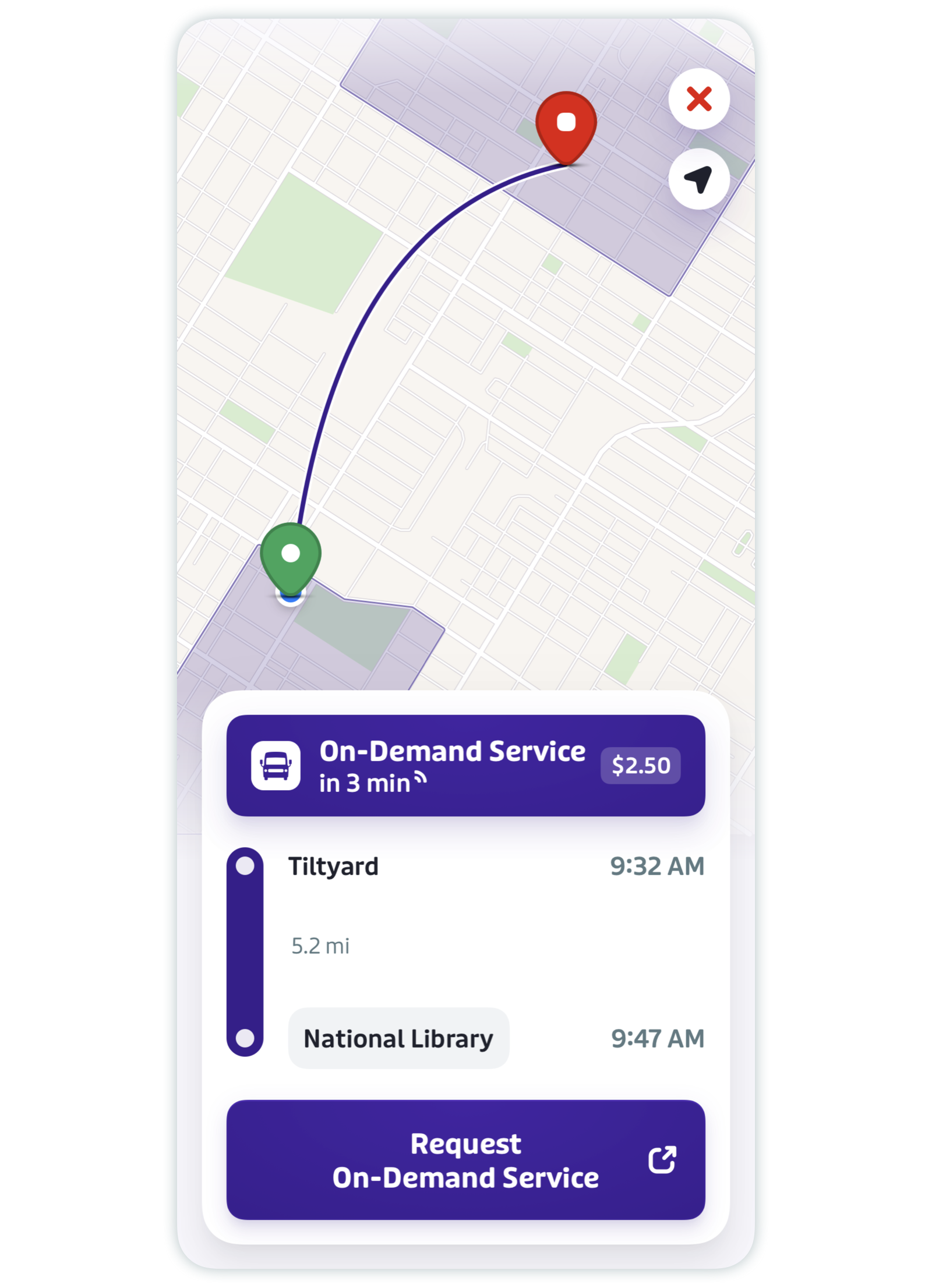
Tap "Request [On-Demand Service]". This will redirect you to your agency's on-demand app where you can book the ride.
Pro tip: If the on-demand portion of your trip comes after a fixed-route bus, make sure to order your ride a couple of minutes before you get to your stop.
Troubleshoot on-demand issues
My trip doesn't give me an on-demand option
This option may not be available for your trip. There are many possible reasons for this: maybe the trip is too far, or maybe the fixed routes in your area serve you better. On-demand service operates based on zones – if you're not getting results, it could be because your origin and/or destination are not in compatible zones.
Fare issues
Fares are managed by your local agency, so it's best to contact them with any specific questions.